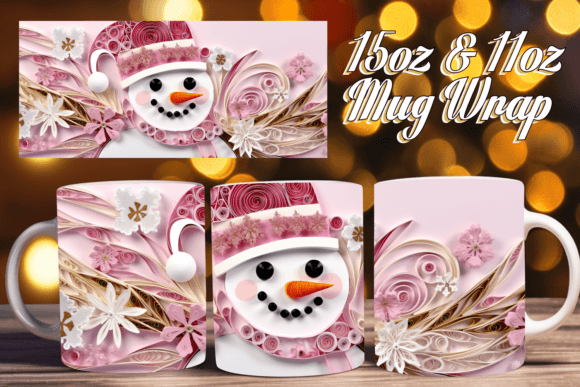
3D Christmas Artistry Mug Wrap Joy: A Practical Guide to Successful Sublimation
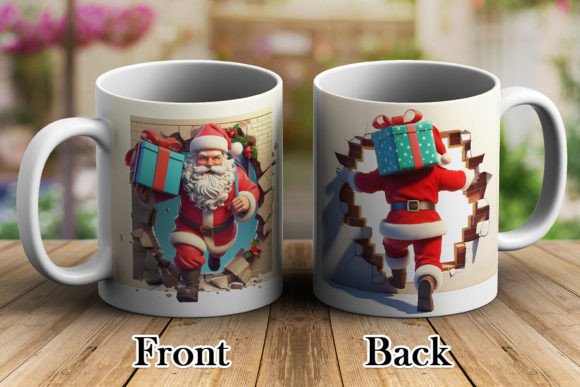
The holiday season brings a surge in demand for personalized drinkware, and the 3D Christmas Artistry Mug Wrap Joy collection offers a vibrant solution for creators looking to capture that festive spirit. These digital designs are crafted to transform standard ceramic mugs into immersive, panoramic scenes that wrap seamlessly around the vessel. However, the term "3D" in sublimation often leads to confusion among both new hobbyists and seasoned professionals. It is vital to understand that this refers to a visual depth effect achieved through high-resolution artwork and precise application, not a physical texture or lenticular print. Recognizing this distinction is the first step toward avoiding disappointment and ensuring your finished products meet customer expectations.
Many enthusiasts purchase digital assets with the assumption that the file alone guarantees a professional result. While these templates are optimized for quality, the outcome depends entirely on your equipment, software proficiency, and understanding of the sublimation process. Before adding this design to your cart, you must honestly assess your current setup. If you lack sublimation-specific hardware or image editing software, pause your purchase. This guide focuses on helping you utilize these files effectively by addressing common pitfalls and setting realistic standards for production.
Clarifying Technical Requirements Before Purchase
A frequent oversight involves assuming that any printer can handle sublimation transfers. The 3D Christmas Artistry Mug Wrap Joy files are provided as high-resolution PNGs specifically formatted for dye-sublimation ink systems. Using standard inkjet or laser printers will result in washed-out images that fail to transfer permanently. Furthermore, because these designs rely on intricate shading to create the illusion of three-dimensional space, color accuracy is paramount. You need a calibrated workflow to maintain the vibrancy intended by the artist.
Software compatibility is another critical checkpoint. These files require programs capable of handling 300 DPI raster images without compression artifacts. Basic mobile apps or free online editors often downsample images to save bandwidth, which destroys the fine details necessary for a convincing 3D effect. Ensure you have access to professional-grade software like Photoshop, GIMP, or specialized sublimation design suites before downloading. The seller provides support strictly for file integrity issues, such as corruption or missing elements, but cannot offer tutorials on heat press settings, color profiles, or software operation. Verifying your technical readiness beforehand saves time, money, and frustration.
Avoiding Alignment and Sizing Errors
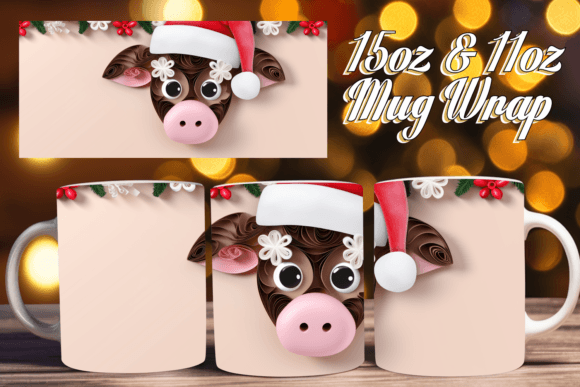
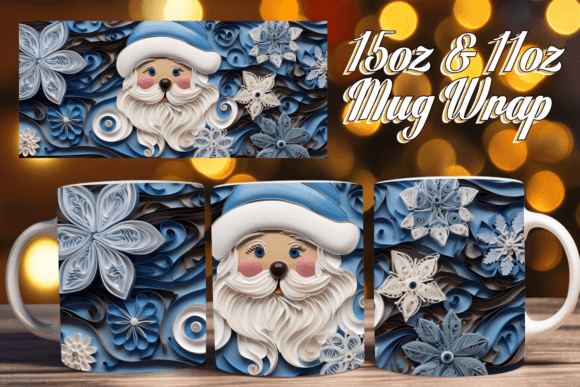
Even with perfect equipment, misalignment remains the most common cause of wasted materials. This collection includes two distinct PNG files sized specifically for 11oz and 15oz mugs. A significant mistake occurs when users attempt to resize the 11oz template to fit a 15oz mug, or vice versa. Stretching a raster image degrades resolution, causing pixelation that becomes glaringly obvious once pressed onto a glossy surface. Conversely, shrinking a large file can distort aspect ratios, making the 3D perspective look warped or unnatural.
Always select the correct file for your specific blank. Measure your mugs physically rather than relying solely on manufacturer descriptions, as dimensions can vary slightly between brands. When positioning the wrap, account for the handle placement and the seam where the design meets itself. For 3D artistry wraps, the continuity of the image at the seam is what sells the illusion. Practice aligning the digital template in your software using guides and rulers before printing. Creating a paper mockup is an inexpensive way to verify fit and seam alignment without risking expensive sublimation paper and ink.
Understanding Resolution and Print Quality Standards
The product description highlights 300 DPI (dots per inch) as the standard resolution. Some users mistakenly believe they can upscale lower-resolution previews found online or increase the DPI setting in their software after the fact. This does not add detail; it merely spreads existing pixels over a larger area, resulting in blurriness. The 3D Christmas Artistry Mug Wrap Joy files are delivered at native 300 DPI to ensure crisp edges and smooth gradients. Trust the source file’s dimensions.
Print quality also depends on proper color management. Sublimation colors appear dull on paper but become vibrant after heat activation. Beginners often over-saturate files digitally to compensate for the dull paper preview, leading to neon, blown-out results on the final mug. Use ICC profiles designed for your specific printer and ink combination to achieve accurate color representation. If your test prints look consistently wrong despite using correct settings, the issue may lie with your hardware maintenance or ink age rather than the digital file itself. Troubleshoot your system systematically before attributing quality issues to the design asset.
Navigating Support and File Usage Boundaries
Clear communication with digital sellers ensures a smoother experience for everyone. The support policy for this item is explicit: assistance covers file-related defects only. Questions regarding how to sublimate, which mug brand to use, or how to edit layers fall outside this scope. Respecting this boundary allows the creator to respond quickly to genuine technical issues. If you encounter a problem, provide specific evidence. Instead of saying "the file doesn't work," describe the exact error message, the software version used, and attach screenshots of the issue.
This approach facilitates faster resolution. Remember that digital downloads are instant; there is no shipping delay to account for. If you cannot open the file immediately, check your extraction software. ZIP files sometimes corrupt during download due to unstable internet connections. Re-downloading the file often resolves perceived defects. Being proactive about verifying your own setup and clearly articulating verified file issues demonstrates professionalism and helps maintain a positive relationship with digital artists.
Maximizing Value Through Proper Application
To truly benefit from the 3D Christmas Artistry Mug Wrap Joy collection, treat the digital file as one component of a larger production system. Success requires integrating high-quality assets with reliable hardware, accurate color profiling, and meticulous pressing techniques. When all elements align, the result is a stunning, marketable product that stands out in a crowded holiday marketplace.
Take time to run test prints on scrap fabric or spare mugs before committing to customer orders. Document your successful settings for future reference. By approaching this purchase with preparation and respect for the technical requirements, you move beyond simple consumption to skilled creation. The joy of 3D Christmas artistry lies not just in the design itself, but in the satisfaction of mastering the craft required to bring it to life. Ensure you are ready to meet that challenge, and these files will serve as excellent tools for your seasonal projects.